It was another eventful week on Wall Street, with AI-related stocks facing more selling pressure amid signs that money may be rotating into other sectors. While it’s encouraging to see market breadth expanding to other areas of the market, there are subtle warnings that investors shouldn’t overlook. Crude oil prices continue to climb, volatility is picking up after a long stretch of relative calm, and Treasury yields have pulled back from their recent highs. That’s a lot of moving parts.
In such an environment, having the right tools can make a big difference. You want to see what’s happening, identify changes, and move between charts without wasting time. And I have the tool to do just that.
Introducing ACP2 Beta 1
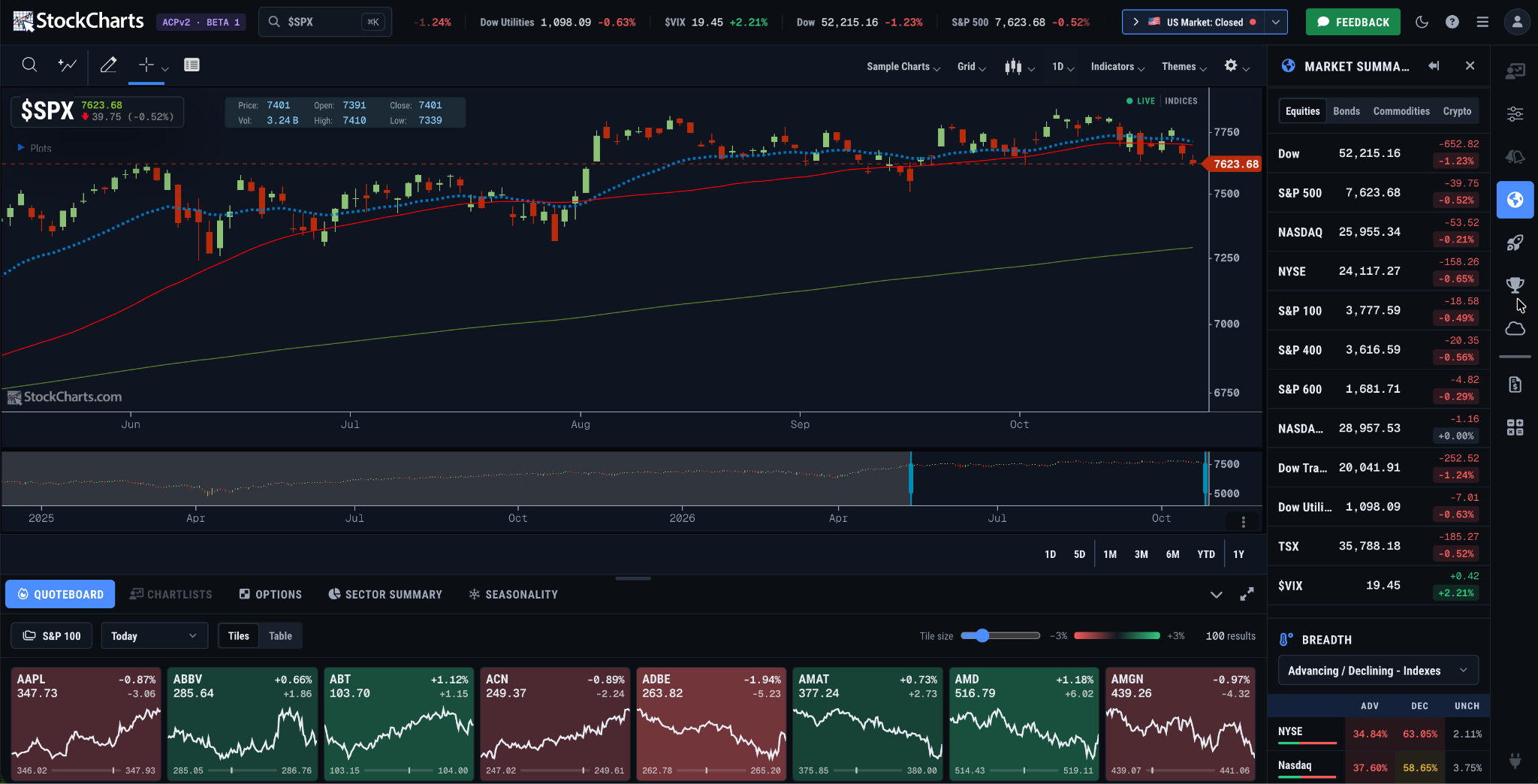
Here’s a sneak peek at the screen setup I’ll be watching closely next week. No, it’s not some fancy professional trading platform that costs an arm and a leg. It’s the new ACP2 Beta1, and we’re giving all StockCharts members a chance to try it out!
Our developers have been hard at work giving ACP a major makeover, and we’re opening the new version to all StockCharts members to explore. ACP2 Beta 1 has everything you know from the previous version, but with a fresh, modern look and a more intuitive layout.
Dropdown menus make it easy to access your choices. Tasks that required several clicks can now be done with a simple selection. It makes a big difference, especially when you want to move quickly between charts and tools.
Your charts, your workspace
When you log in to your StockCharts account and select the blue ACP2.0-Beta button on your Dashboard, one of the first things you will notice is the sleek dark theme. Prefer something lighter? No worries. There are several themes to choose from, so you can customize the workspace to your liking.
You will also notice a scrolling ticker running across the top of the screen. This helps you keep an eye on the broader market while you analyze individual stocks. By default, it displays the U.S. market indexes, but you’re not limited to those, and the dropdown on the right gives you other options.
Another handy feature is the Range Selector below the chart. This feature makes it easier to examine price action over different time periods. Just drag the slider to the left or right to zoom in on a specific time period. It’s a quick, convenient way to focus on the price action that matters to you.
Then there’s the Quoteboard, which gives you a quick visual overview of market groups in easy-to-read tiles. You can change the tile size using the Tile Size slider, and customize the display to show symbols from a particular index, exchange, sector, ETF, or more.
The right sidebar will look familiar to anyone who has used the previous version of ACP, but it too has received a visual refresh. Two of my personal favorites are the Market Summary and Symbol Summary, which put more data within easy reach.
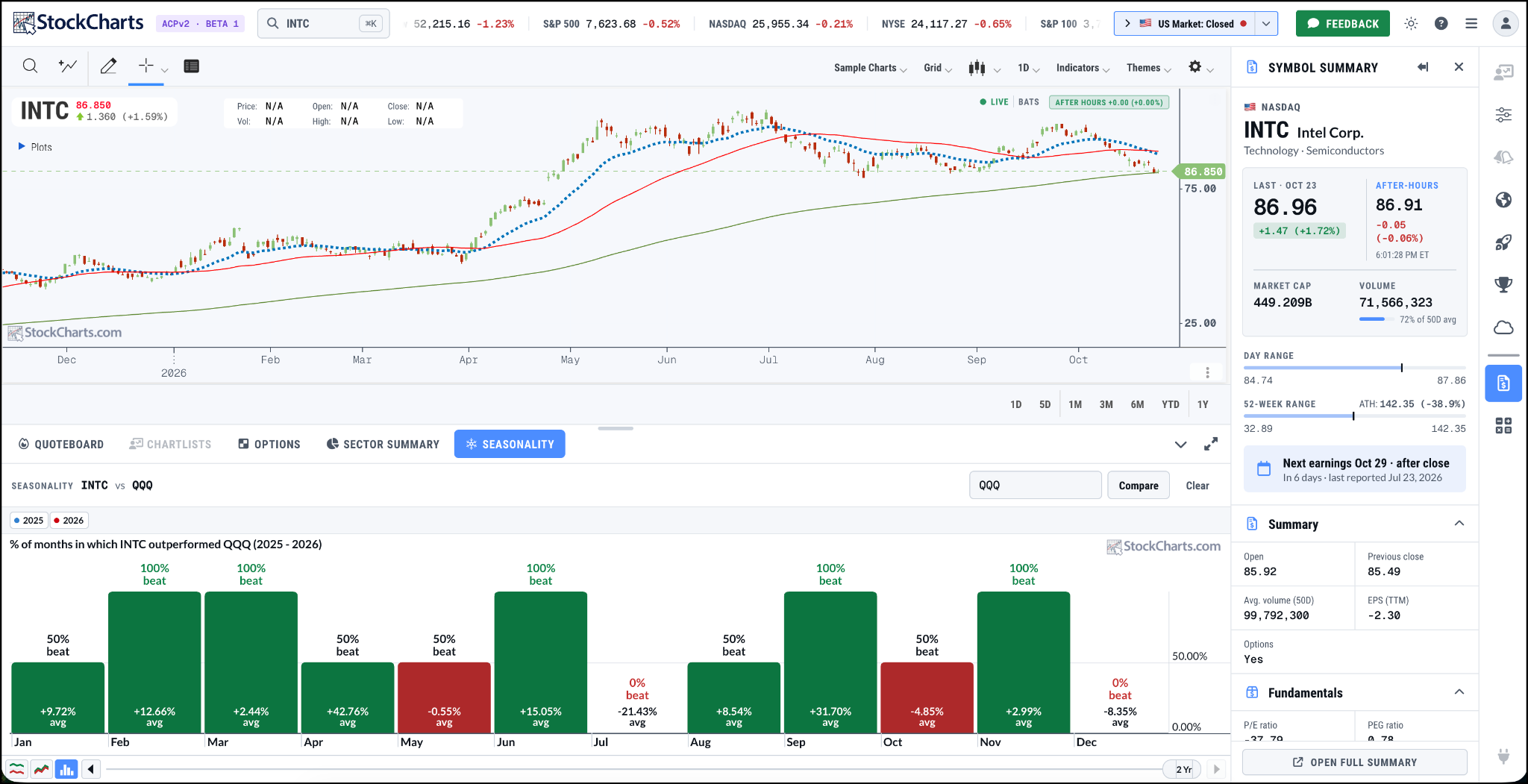
In the image below, I’ve pulled a chart of Intel (INTC) using the light theme, with a Seasonality Chart below the price chart and Symbol Summary displayed in the sidebar. The flexibility of including more than one sidebar increases the amount of information you can access in one workspace.
These are just a handful of the features waiting for you in ACP2 Beta 1. And even if you are a die-hard SharpCharts user, I encourage you to give this new version a try this weekend. Just make sure you set aside some time. Once you start exploring, you may find yourself jumping from one tool to another to see what else you can do. It’s that easy to navigate.
We would love to hear what you think. Click the green Feedback button to share your experience, suggestions, or ideas. As a StockCharts member, you’re getting an opportunity to explore the new ACP and help shape its future.
With big tech earnings, a Fed meeting on the calendar, rising oil prices, falling Treasury yields, and rising volatility, there’s a lot to watch next week. It’s a good excuse to spend more time staring at charts!
As the S&P 500 remains stuck in a trading range. Dave Keller, CMT, outlines four potential scenarios through year-end 2026, from a bullish breakout above 8000 to a bearish decline toward 7100, and identifies the signals to watch. ...
Breadth in mid-cap stocks is setting up for a thrust. Arthur Hill identifies the make-or-break levels in the chart of the mid-cap ETF IJH to identify a bullish or bearish move. ...
Tech stocks may be under pressure, but opportunities remain. Discover where investors are finding strength and how to find stocks using the StockCharts AI Scan Wizard. ...
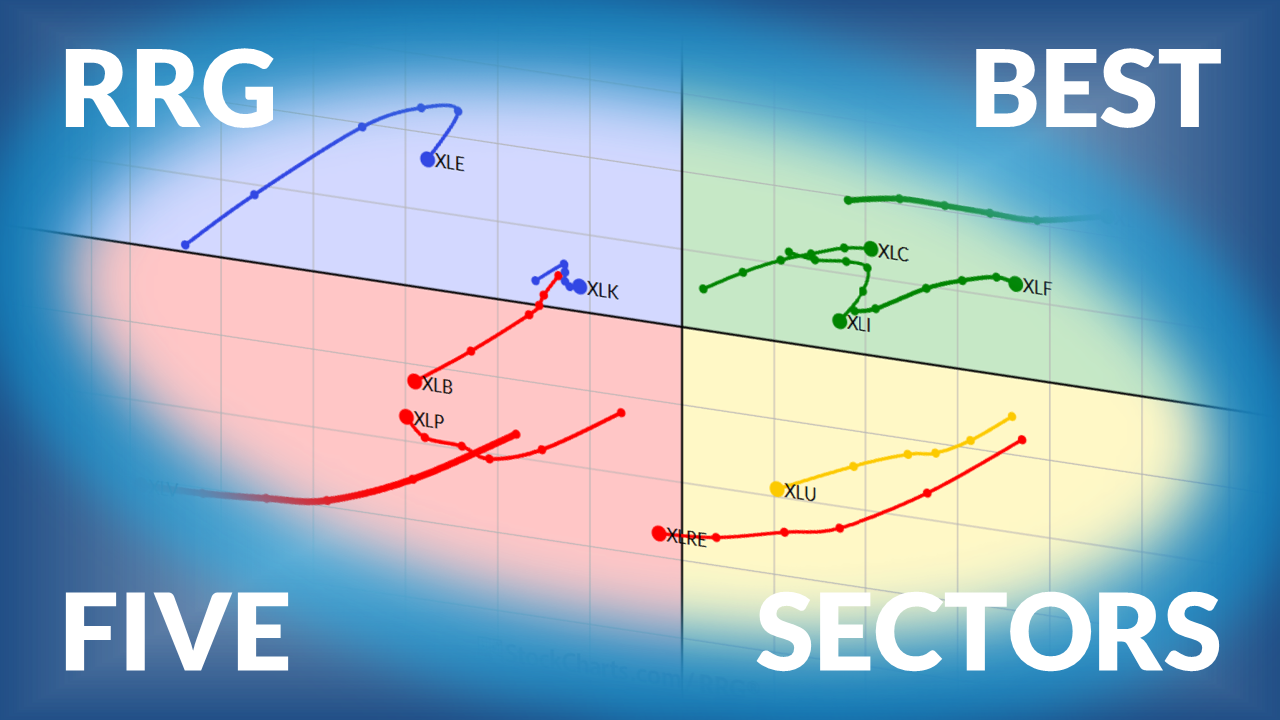
Julius de Kempenaer, creator of Relative Rotation Graphs, presents his weekly update on US sector rotation. Technology has lost its #1 position after 20 weeks, with Energy and Health Care taking over. ...
A glance at the StockCharts CandleGlance view of the S&P 500 sectors shows Health Care hitting new highs, Industrials bottoming, and Materials showing subtle signs of renewed momentum. Here's how to put the tool to work. ...
Crude oil is looking poised for a major upside breakout, and higher prices could follow. What does that mean for the CPI and inflation? Martin digs in to these questions. ...
As technology stocks sell off, money is rotating into other areas. Tom Bowley shares his thoughts on which asset groups are likely to benefit from the rotation. ...
Before We Dive In…
You’ve got the ideal scan in your head. But transforming your ideas into code is where the trouble begins. Maybe you’ve tried coding before, and all you ended up building was a wall of syntax errors. Or perhaps you don’t even know where ...
As a StockCharts Member, you unlock all of our most powerful tools and features, including saved charts and settings, custom scans, technical alerts and much more. Discover all that StockCharts can do with our
free 1-month trial and start charting like a true market pro.